The RunDig Menu Studio: one place for your whole menu.
Use it on your computer or your phone. It's the same studio either way.
A message from Max
One of the deepest digital weeds I ever got stuck in was updating my menu. I had dozens of menu files on my computer, and sometimes I'd update the wrong one and confuse everything. I spent hours pricing changes, then more hours reformatting so everything fit and lined up on the printed page. The worst part was reprogramming the POS and making sure my staff swapped in the new printed menus at the same time, so the computer matched the paper. Then came the take-out menus, then the website. It was a nightmare.
That's why I built The RunDig Menu Studio: menus, prints, POS and website updates, all in one place, with one touch.
— Max Gonzalez, Founder, RunDig
Pull. Your menu comes straight in from your POS. No retyping.
Edit. Change items, descriptions, prices and categories on the fly.
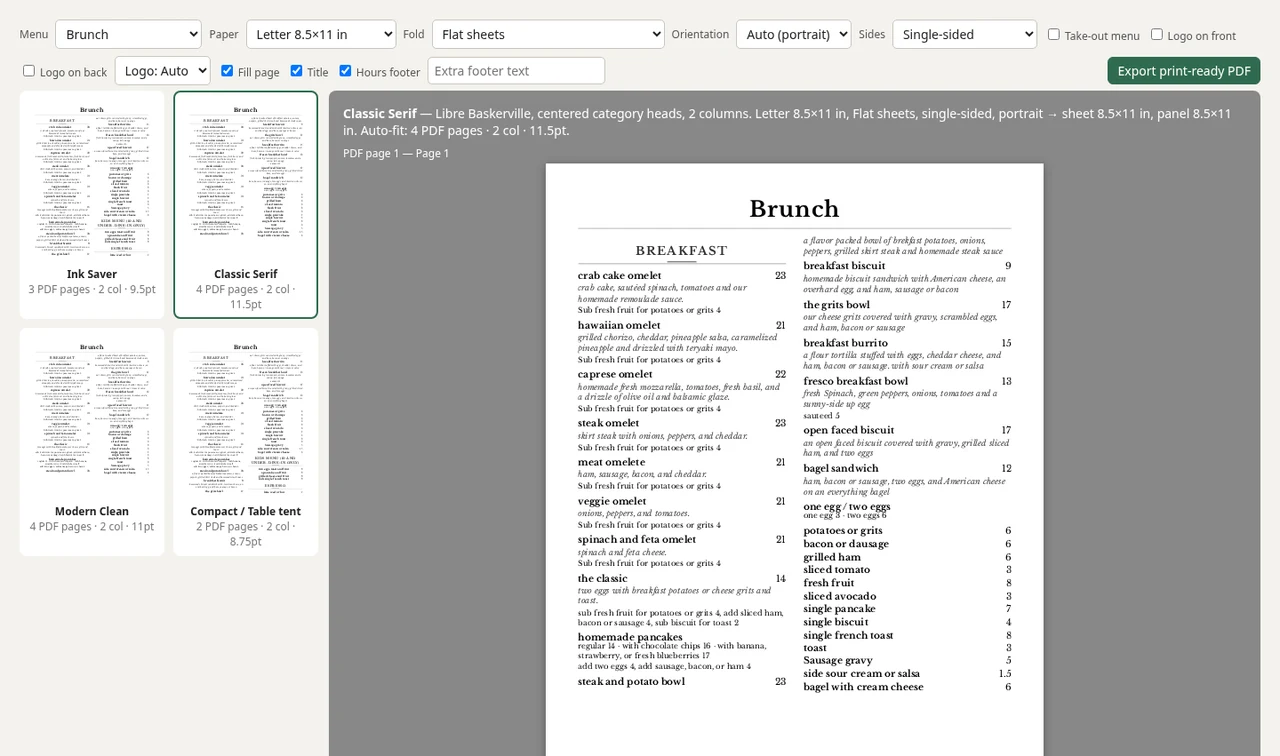
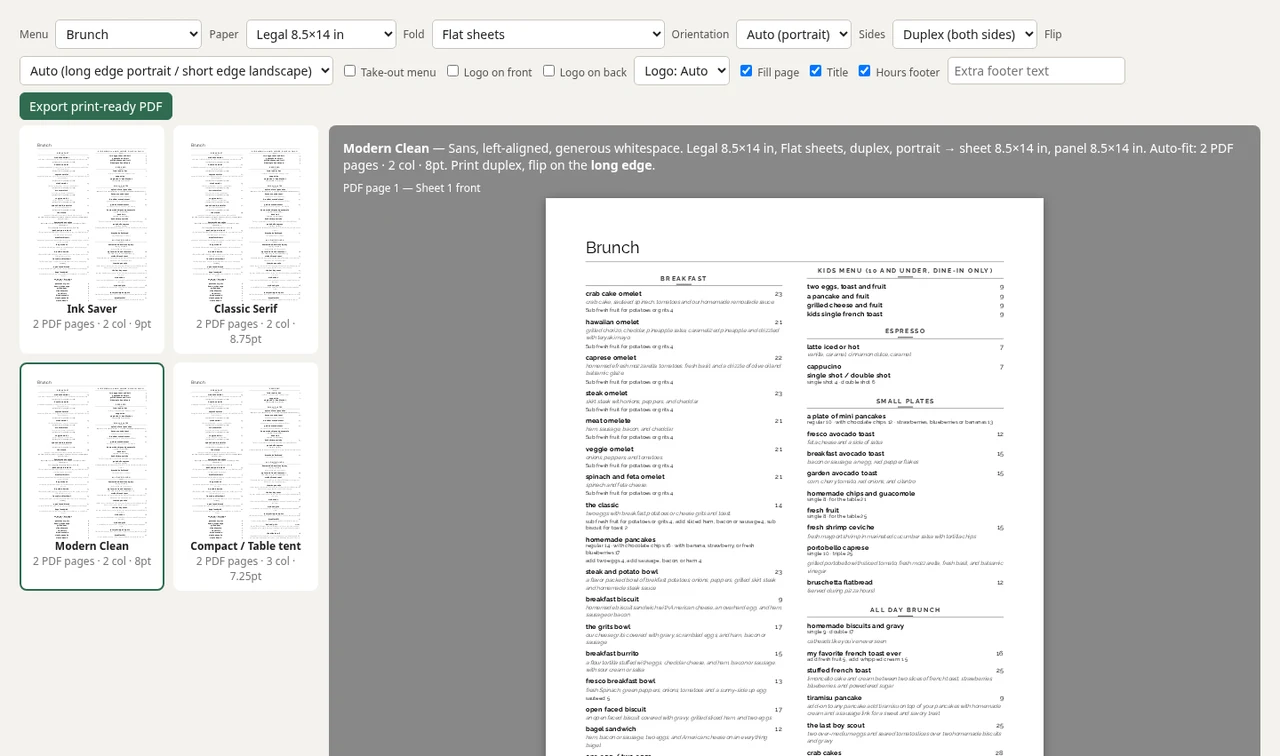
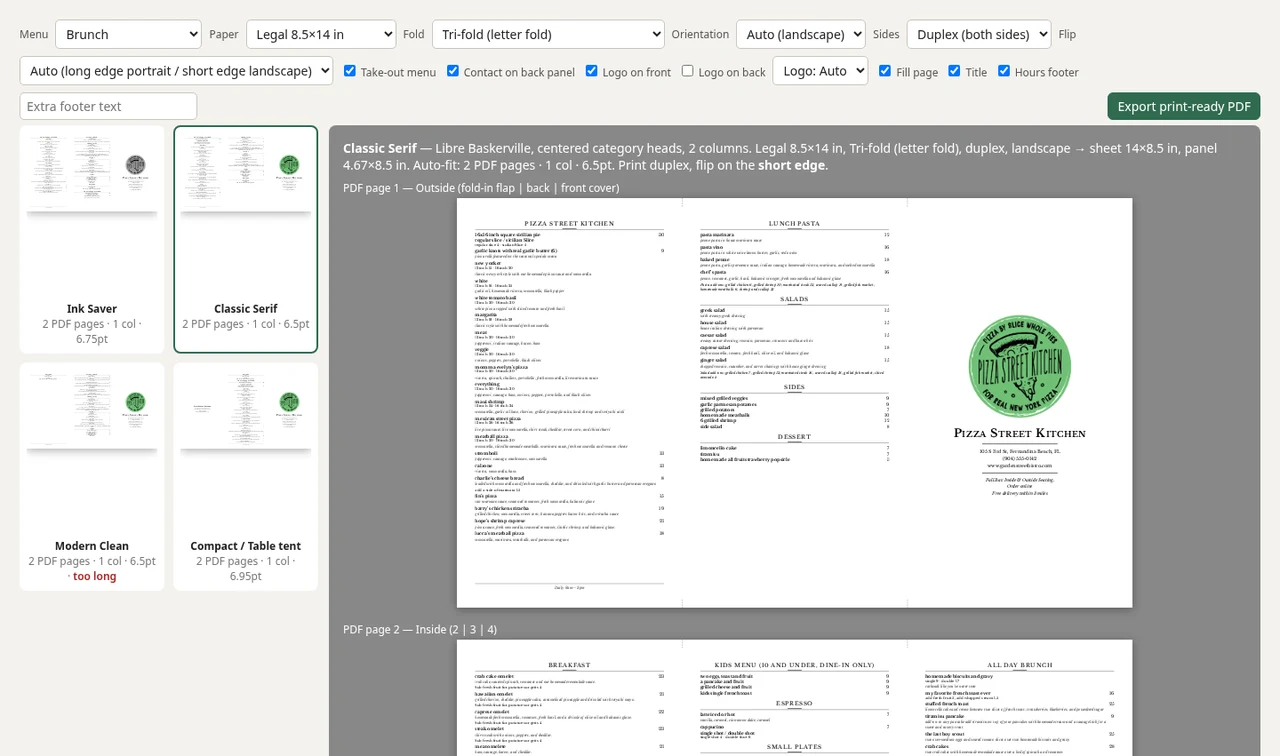
Print. Menus, table tents, tri-folds, bi-folds and branded take-out menus format themselves. Send them to any printer, from wherever you are.
Publish. One tap updates your POS, your website and your online ordering, exactly as you set it.
Edit once. It's updated everywhere.
See it in action
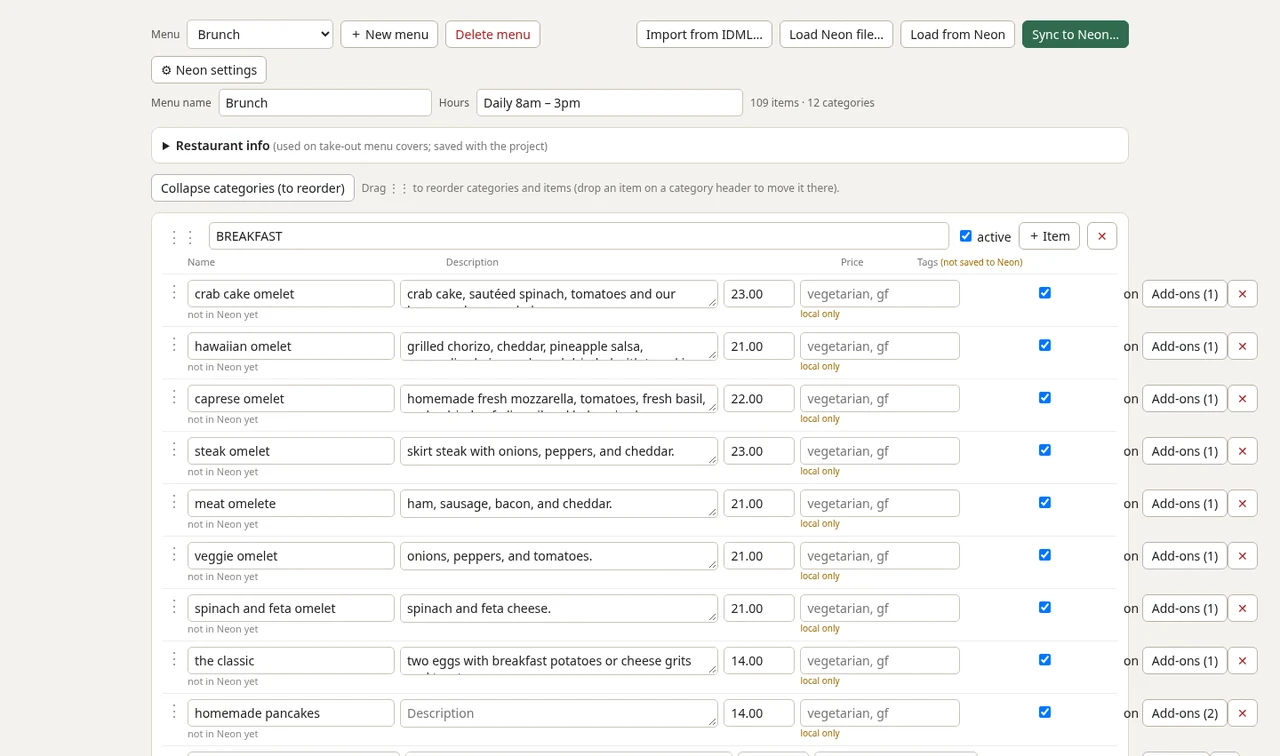
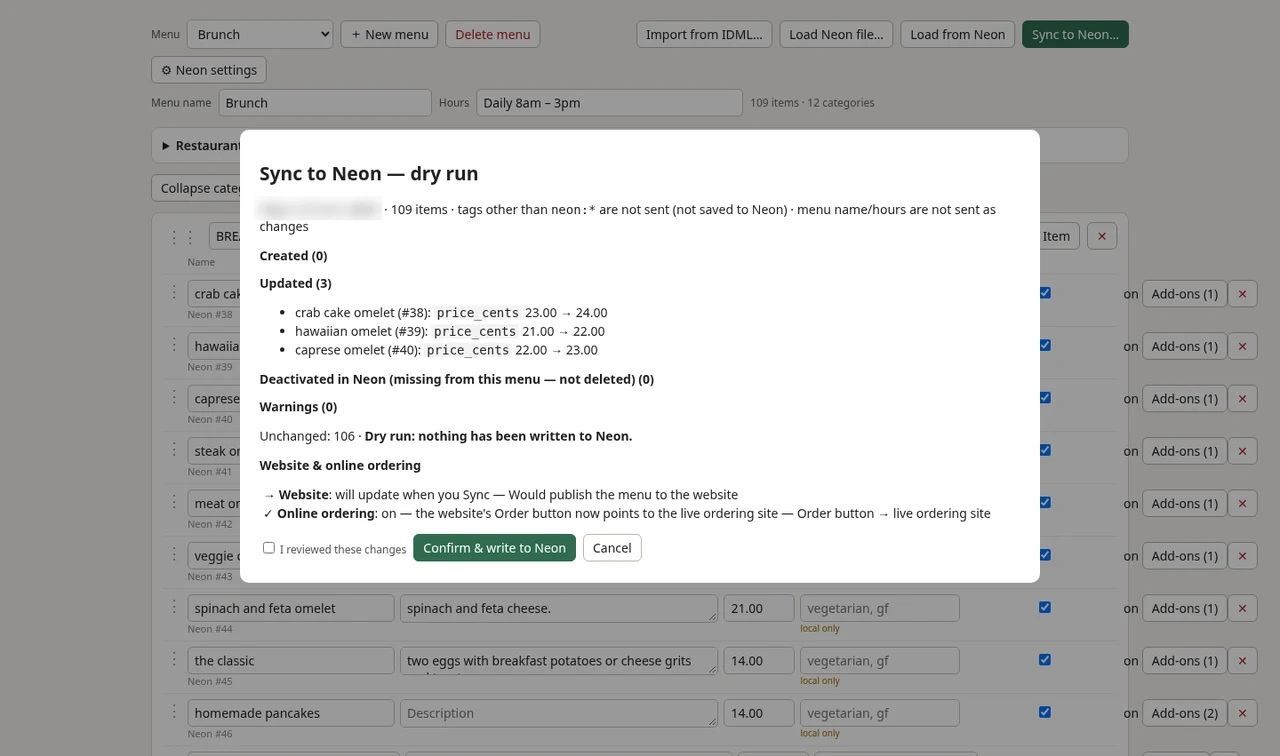
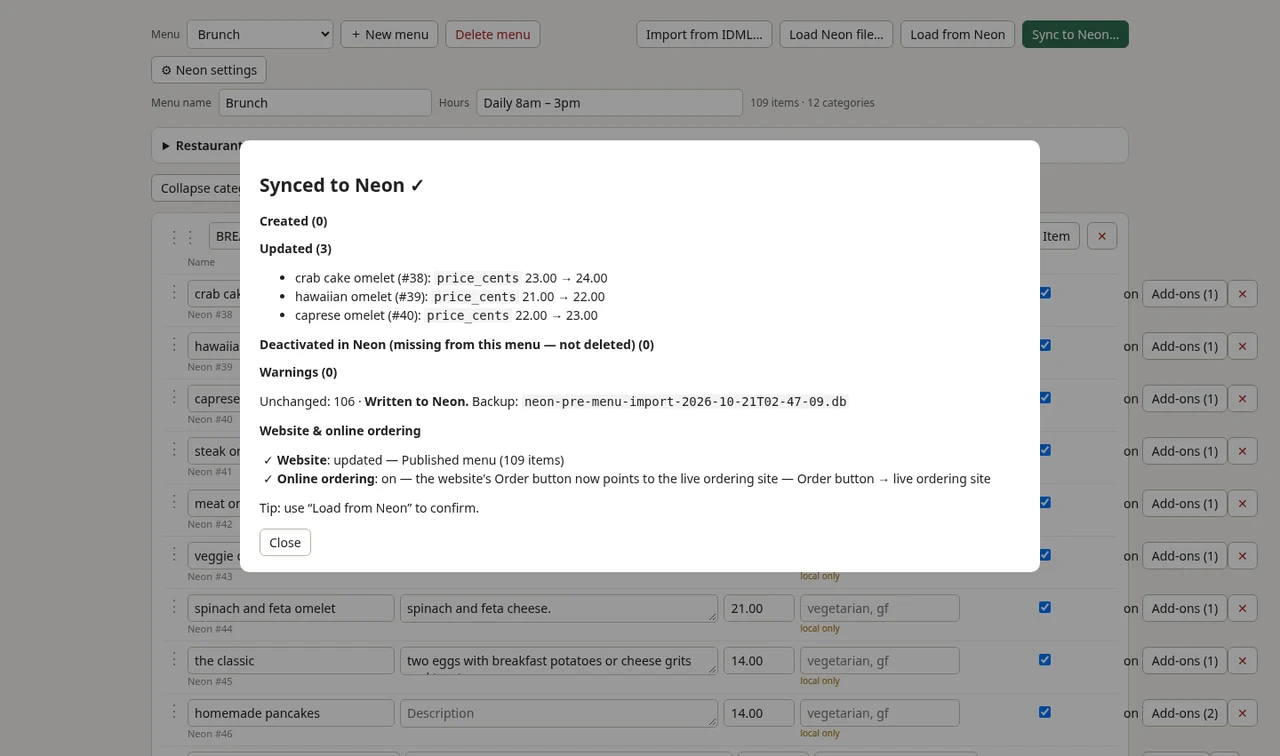
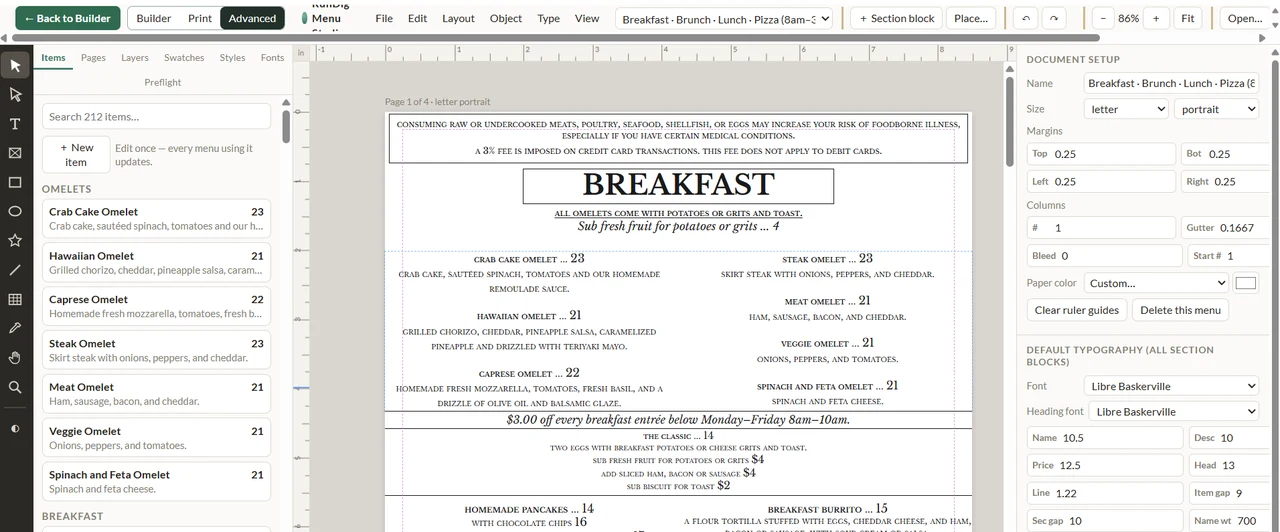
Menu Builder. Your menu comes straight in from Neon, ready to edit. Change items, prices, descriptions and add-ons, drag to reorder, then hit Sync to Neon and you're done.Publish, step 1: dry run. Check before you sync. A dry run shows exactly what will change in Neon, like these three price updates, before anything is written.Publish, step 2: synced. Done. Neon has the new prices, and your website menu and online ordering are updated in the same tap.Print. Pick a style (Ink Saver, Classic Serif, Modern Clean or Compact table tent), choose paper, fold and duplex, then export to PDF or send it directly to your printer. Menus that format themselves, for any printer.Fill page. Pick a layout and paper size, turn on Fill page, and the menu sizes itself to fill the sheet.Take-out tri-fold. Take-out menus too. A tri-fold with your logo on the cover and your restaurant's info, ready to print.Advanced. Want full control? The layout editor gives you margins, columns and typography, like pro design software built right into your menu tool.Coming soon
Recipe Builder (Coming soon)
Know what every plate really costs.
Build recipes for each menu item, ingredient by ingredient.
See the food cost of every dish, so you can price with confidence.
Coming soon: syncs with Neon inventory and RunDig Inventory Control (RIC), so your costs stay current as ingredient prices change.
Your menu, your recipes, your margins. All in one place.